This listing hasn't been claimed by Andertons Music Co. yet — this item's details and price were compiled by JustVybe from publicly available sources and have not been checked or confirmed by the business.
Last updated 28 Nov 2026.
Last updated 28 Nov 2026.
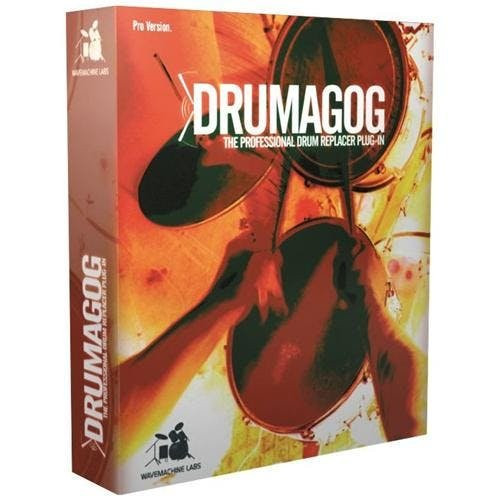
Wavemachine Labs Drumagog Pro Drum Replacement Plugin
£89.00
Software & Downloads
Digital
SKU: ANDERTONS-2519
Delivery & collection
Collection available
UK-wide shipping
Contact business to arrange
Check with the business for delivery charges, minimum orders and any address restrictions.
Drumagog Pro from Wavemachine Labs is a powerful drum replacement plug-in designed to make fixing and enhancing drum tracks faster, more accurate and far more musical. Rebuilt from the ground up, version 6 introduces a completely new workflow where every detected hit is drawn directly on the waveform, whole kits can be replaced from a single drum bus, and your sample library is automatically ranked by how closely it matches your original sound.
Whether you are tightening up a live kit, layering samples for modern punch, or converting performances to MIDI, Drumagog Pro gives you precise visual control over every hit, intelligent triggering modes for tracking and mixing, and deep sound-shaping tools. It is built to solve the real-world problems that make drum replacement tedious, letting you focus on the performance and the mix rather than endless manual editing.
Visual Hit Editing on the Waveform
Finding the hits is usually the hardest part of drum replacement. Ghost notes hiding under cymbal wash, kick bleed in the snare mic and inconsistent dynamics can all cause false triggers and missed notes. Drumagog 6 Pro tackles this head-on by drawing every detected hit as a marker on the waveform. The height of each marker shows how hard the hit was played, so you can see the dynamics at a glance. Drag the threshold line down and watch ghost notes appear in real time, then simply drag markers left or right to tighten timing, or up and down to adjust velocity. If a hit is missing, double-click where it should be and add it instantly.
Smart Removal of False Triggers
Bleed and mis-triggers are where drum replacement often falls apart, forcing engineers to add or delete triggers by hand. Drumagog Pro introduces powerful new tools to clean this up quickly. Click on a detected hit and use the REMOVE SIMILAR button to wipe out all other hits that sound like that one, such as unwanted kicks firing the snare track. Alternatively, KEEP SIMILAR lets you keep only the hits that match the selected sound and delete the rest. Both functions are fully undoable, so you can experiment freely while rapidly zeroing in on clean, musical triggering.
Live and Drum Modes for Any Session
Different sessions demand different kinds of responsiveness. Drumagog Pro offers two main triggering modes so you can pick what suits the track. Live mode delivers around 2 ms of latency, firing samples the moment the incoming drum crosses the threshold, ideal when drummers need to hear the replaced sound in headphones or on stage. Drum mode looks ahead by around 80 ms, allowing more intelligent detection and more consistent triggering for mixing close mics like kick and snare. In both cases, Drumagog keeps a timeline of every hit, so you can always review and refine the performance afterwards.
Kit Mode and Intelligent Library Matching
On a stereo drum track, Drumagog Pro’s Kit mode can automatically detect and trigger off each separate drum inside the kit, letting you replace multiple elements at once from a single bus. Once it has analysed your source drum, Drumagog measures its sound and ranks every GOG file in your library by similarity, complete with a percentage score. You can audition options from a visual map on the Library page, then narrow things down further using sound-based tags such as CRACK or FAT for snares. This means you spend less time scrolling through lists and more time choosing samples that genuinely complement the original performance.
Integrated Mixing, MIDI and GOG Creation
Drumagog Pro is not just a trigger; it is also a flexible sound design and workflow hub. On the Mix page, each drum gets its own pre and post trigger channel strip. The pre-trigger section lets you clean up the input before detection, for example using EQ to stop the kick from setting off the snare. Post-trigger, you can shape the replaced sound with EQ and a built-in synth layer, complete with pan, fader, mute and phase controls. A full MIDI piano roll shows every detected hit as a note, which you can edit just like in your DAW, then drag out as a MIDI clip or send via MIDI out or a virtual MIDI port. Building your own GOGs is equally straightforward: drop in folders of samples or extract hits from audio, then organise dynamics, room mics and articulations in the GOG editor so your custom libraries integrate seamlessly with Drumagog’s ranking system.
Key Features
Waveform Markers for Every Hit - Drumagog Pro draws each detected hit as a marker on the waveform, with marker height reflecting playing intensity. This gives you immediate visual feedback on timing and dynamics, making it easy to spot ghost notes, mis-triggers and missing hits, and to correct them by simply dragging markers or adding new ones with a double-click.
REMOVE SIMILAR and KEEP SIMILAR Tools - Tackle bleed and false triggers in seconds using REMOVE SIMILAR to delete all hits that resemble a selected one, or KEEP SIMILAR to retain only matching hits and discard the rest. With a single shared undo, you can clean up complex drum tracks quickly while always being able to step back if needed.
Live and Drum Trigger Modes - Choose Live mode for ultra-low latency of around 2 ms when drummers need immediate feedback, or Drum mode with an 80 ms look-ahead for more accurate, consistent triggering during mixdown. Both modes maintain a full hit timeline so you can refine the performance after tracking.
Intelligent Library Matching and MIDI Workflow - Drumagog Pro analyses your source drum and ranks every GOG in the factory library and your own collection by similarity, complete with sound-based tags to narrow choices. A built-in MIDI piano roll lets you edit detected hits like any MIDI performance, then drag out a clip or route MIDI to your DAW or external instruments for flexible hybrid workflows.
SpecificationsCore Functionality
Drum replacement and enhancement plug-in
Rebuilt engine with visual hit markers on the waveform
Kit mode for triggering multiple drums from a stereo drum track
Live mode latency: approximately 2 ms
Drum mode look-ahead: approximately 80 ms
Editable hit timing and velocity via draggable markers
REMOVE SIMILAR and KEEP SIMILAR trigger clean-up tools
Library and GOG Handling
Automatic similarity analysis of source drum against GOG library
Ranked GOG list with percentage match display
Library map view with hover-to-audition functionality
Sound-based tags for filtering (for example CRACK, FAT for snares)
Full factory GOG library available as a download
Drag-and-drop sample folders to build new GOGs
ADD FROM AUDIO function to extract hits from audio files
Capture hits directly from playback to create GOGs
GOG editor for dynamic groups, room mics and articulations
Per-sample trimming, fades and level adjustment
Mixing and Processing
Separate PRE-TRIGGER and POST-TRIGGER channel strips per drum
Pre-trigger EQ for cleaning input before detection
Post-trigger EQ for shaping replaced sound
Built-in synth layer on each drum channel
Pan, fader, mute and phase controls per drum
Real-time visual feedback of signal on all displays
Gate, transient shaper and convolution reverb available in Drumagog Platinum
MIDI and Integration
Dedicated MIDI page with full piano roll view
Every detected hit represented as an editable MIDI note
Shared undo history between Trigger and MIDI pages
Drag-and-drop export of MIDI clips into your DAW
MIDI output from the plug-in
Virtual MIDI port for DAWs that cannot record plug-in MIDI output
Ready-made note maps for General MIDI, Toontrack Superior Drummer and EZdrummer
Community and Licensing
Community section for sharing and downloading user-created GOGs
Automatic similarity ranking for Community GOGs against your source drum
Free addition of Community GOGs to your library
Right-click sharing of your own GOGs to the Community
All Community GOGs cleared for use in commercial releases
All audio processing performed locally on your computer
One-time sign-in per computer to activate licence
Offline operation after activation
Formats
Plug-in formats: VST3, AU, AAX
Standalone application included
Supplier product code: DRUMMERAGOG
Official product information: https://www.andertons.co.uk/wavemachine-labs-drumagog-pro/
Published prices and availability are a snapshot. Contact Andertons directly to confirm current stock, collection and shipping arrangements.
Catalogue item — contact the business to enquire.
Back to shop